Gym Profile
Your gym's core identity and operating defaults in GRADR live on the General tab (Settings → General), and feed scheduling, payroll, the kiosk, and student-facing communications.
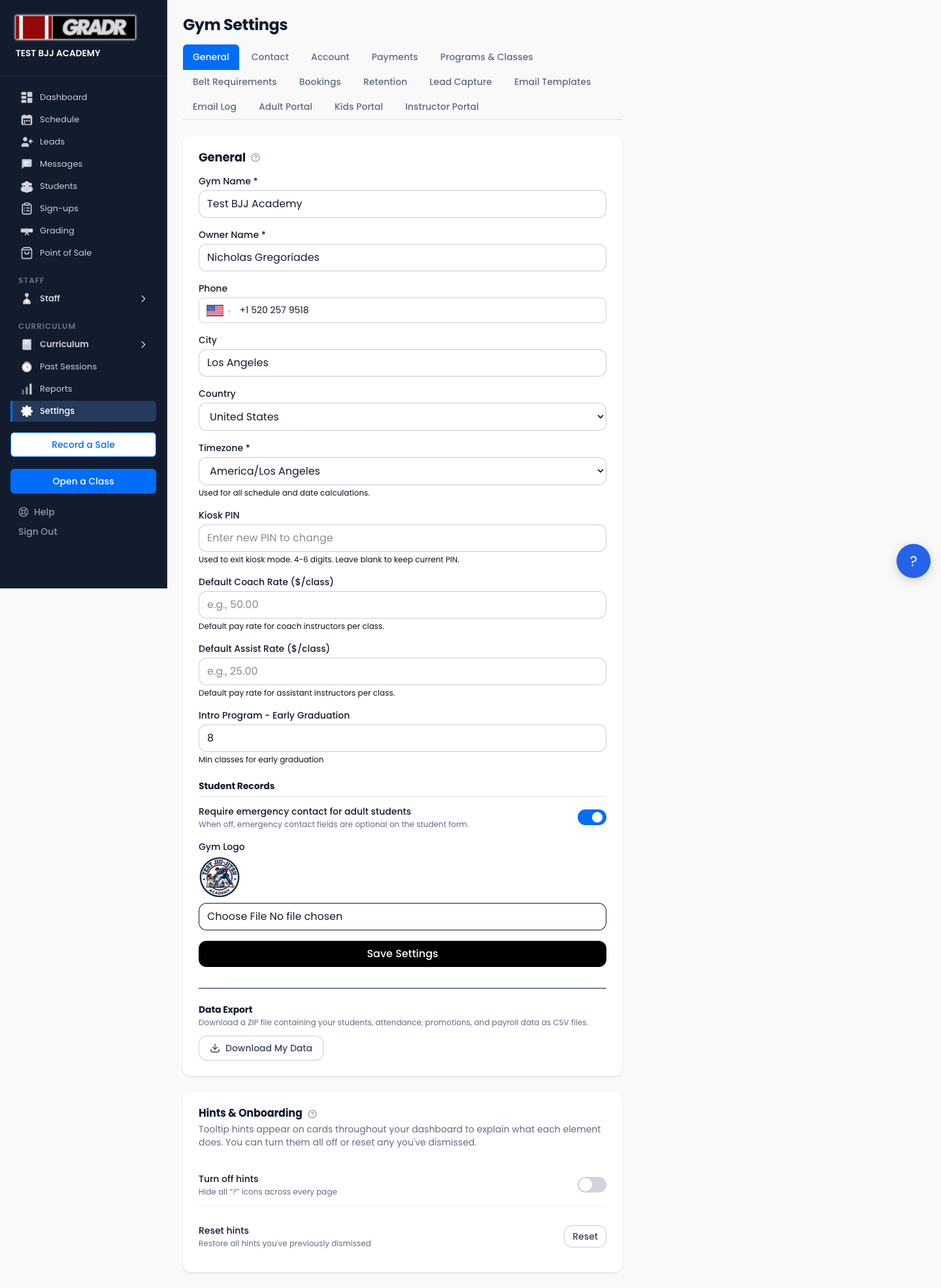
Editing Your Gym Profile
On Settings → General, update any of these fields and click Save Settings:
- Gym Name — displayed in emails, the student portal, and your booking page.
- Owner Name — shown in the Dashboard greeting and outbound emails.
- Phone — contact number for student-facing pages.
- City and Country — your gym's location (these are separate fields; there is no single "address" field).
- Timezone — used for all scheduling, payroll, and reporting calculations.
- Kiosk PIN — the 4-digit PIN used to leave kiosk mode and return to the owner portal. New gyms start with 0000; change it before you put a tablet on the mat. Leave blank to keep the current PIN.
- Default Coach Rate and Default Assist Rate — the per-class pay rates applied to instructors who don't have a custom rate set on their profile.
- Intro early-graduation — controls whether intro-program students can graduate ahead of finishing the full sequence.
- Emergency contact — a toggle for whether emergency-contact details are collected on student records.
- Gym Logo — upload your logo for student-facing pages.
Timezone
The timezone is especially important, because it affects how class times display, when payroll weeks start and end, and the timestamps in Reports and Past Sessions. Set it to your gym's local timezone. Don't change it unless you relocate.
Gym Slug
Your gym has a unique URL slug for your public booking page (e.g. gradrjj.com/book/your-gym-slug), set when your account is created. Contact GRADR support if you need it changed.
Related
- Payments — default pay rates feed into payroll calculations
- Kiosk — where the kiosk PIN set here is used
- Tutorial: New Gym Setup