Past Sessions
An editable archive of every class session run through the kiosk. Past Class Sessions lets you review attendance history, correct who attended a class, and record a class that happened but was never opened on the kiosk.
Browsing Sessions
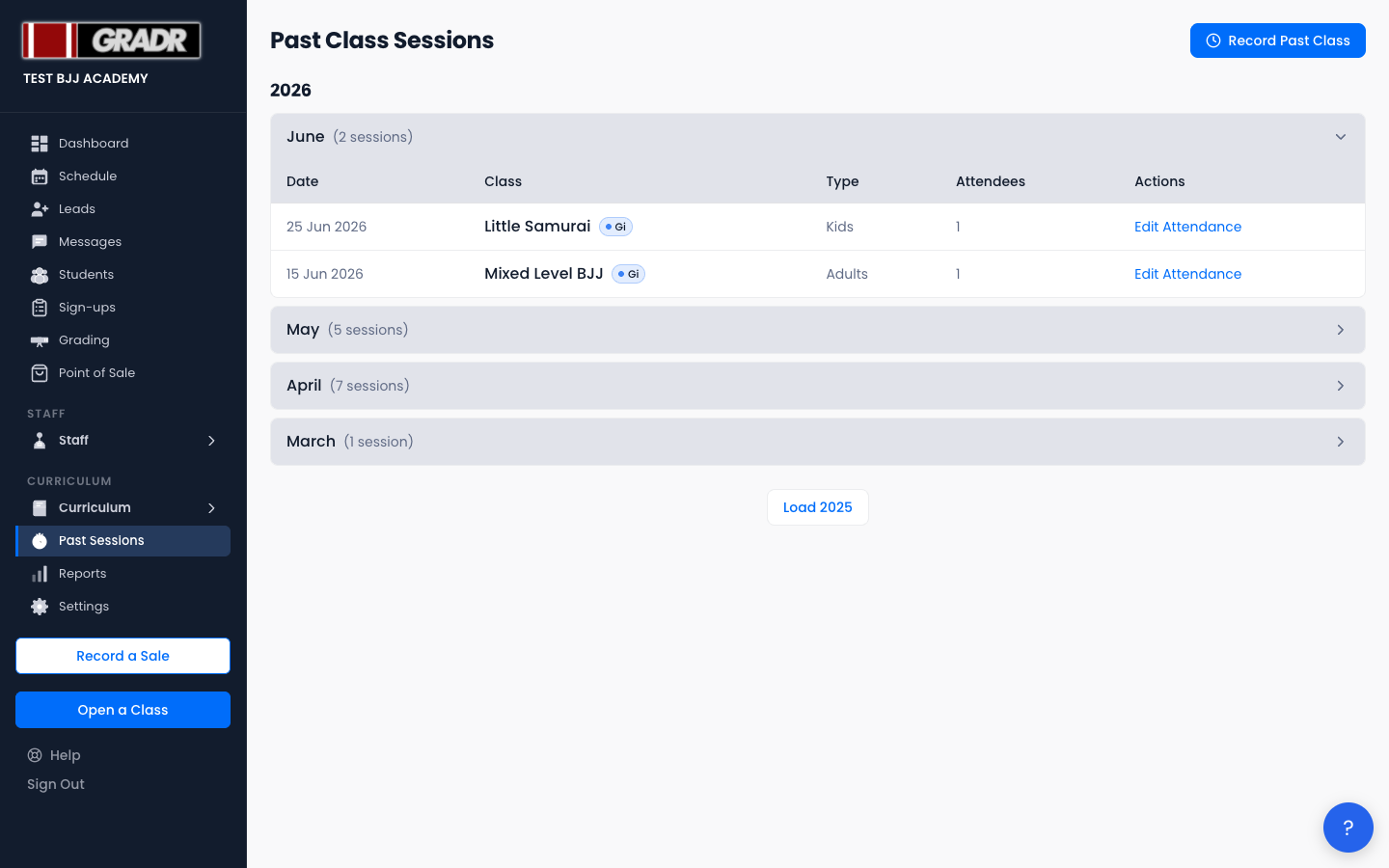
Sessions are grouped by year, then by month. The current month is expanded by default; click any month header to expand or collapse it. Each month shows how many sessions it contains.
Within a month, each row shows the Date (with a Backdated badge if the session was recorded after the fact), the Class name and its tags, the class Type, the number of Attendees, and an Edit Attendance action.
To see earlier history, click the Load [year] button at the bottom of the list. GRADR loads the previous year's sessions on demand.
Editing a Session's Attendance
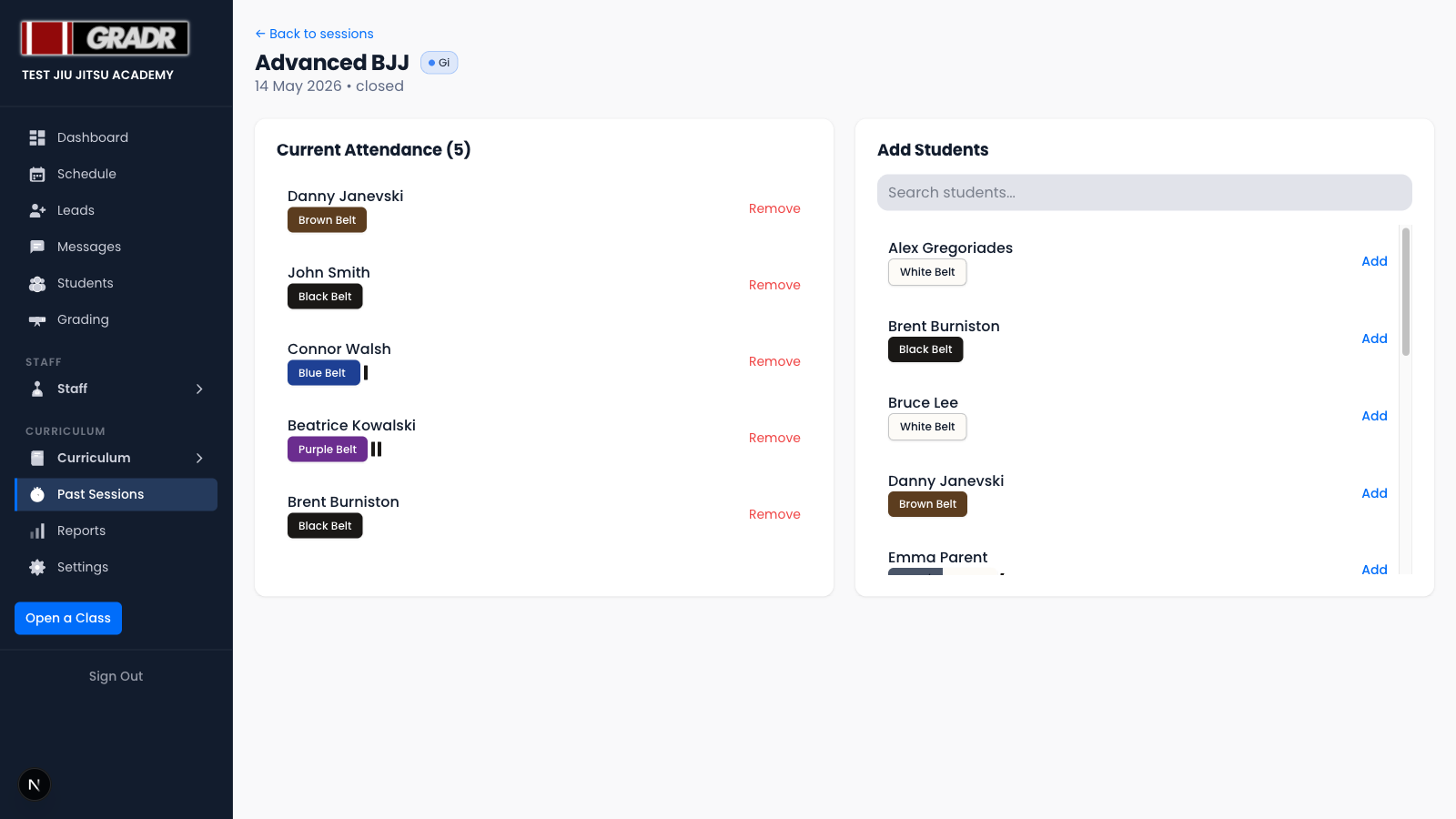
Click Edit Attendance on any session to open it. From there you can add students who attended but weren't checked in, or remove students who were marked present by mistake. Adjustments update each student's cumulative class count, so corrections here flow through to promotion readiness and Reports.
Recording a Past Class
Sometimes a class runs without anyone opening it on the kiosk. Use Record Past Class (top right) to create the session retroactively. It's a three-step wizard:
- Date — pick the day the class ran. You can go back up to 30 days; the date must be in the past.
- Class — choose from the classes scheduled on that date. Each option shows its time and tags.
- Students — search the roster and tick everyone who attended (use Select All or Clear to move quickly), then click Record [N] Attendees.
The new session is added to the archive with a Backdated badge. If a session already exists for that class on that date, GRADR stops you and links to the existing one so you can edit it instead of creating a duplicate.
Which day a backdated class counts on
A class always counts on the day it was held, never the day you typed it in. Record a class from two weeks ago and every student on it is credited for that day, two weeks back.
This matters when someone was promoted in the meantime. If a student was graded last Friday and you then record a class from the Monday before, that class counts toward the belt they held at the time, not toward their next stripe. That's the correct outcome: they attended it at their old rank.
Using Past Sessions Data
Past Sessions feeds the Reports section. Attendance trends, most-popular classes, and instructor metrics all draw from this archive. If a report looks off, check the underlying sessions here and correct the attendance.