Disciplines & Non-BJJ Members
Not every member trains BJJ. If your gym also offers Muay Thai, wrestling, yoga, or anything else, GRADR lets you track those members alongside your BJJ students. You do this with disciplines.
A discipline is simply a martial art or class type your gym teaches. Every student trains a set of disciplines, and every class belongs to one. BJJ is the built-in graded discipline. Belts, stripes, promotions, and grading readiness only apply to students whose set includes BJJ. A member who trains only non-BJJ disciplines is tracked for attendance and billing like anyone else, but shows a coloured discipline pill instead of a belt and never appears on any grading screen.
If your gym only teaches BJJ, you can ignore this page entirely: every student defaults to BJJ and nothing changes.
Setting Up a Discipline
Disciplines are managed in Settings → Programs & Classes, in the Disciplines section.

- BJJ is built in. It is always graded and cannot be renamed, deactivated, or deleted.
- To add one, click Add Discipline, pick a colour, type a name (e.g.
Muay Thai), and click Add. The colour is what shows on that discipline's pill everywhere in GRADR. - Each custom discipline has a toggle to deactivate it, plus edit (rename / recolour) and delete.
Grading (belts, stripes, promotions, and belt-requirement tracking) is a BJJ concept. Custom disciplines are never graded, and there can only be one graded discipline. You can't make Muay Thai "graded" or add a second belt system.
If any student is still assigned to a discipline, GRADR won't delete it; deleting would leave those members with no discipline. Deactivate it instead: it stops appearing as an option on new students and classes, but existing assignments keep working. A deactivated discipline shows as (inactive).
Assigning Disciplines to a Student
Every student's disciplines are set on their profile, on the Add Student form and when editing an existing student. The Disciplines field is a set of colour pills; tap to select or deselect.

- Every student defaults to BJJ. Deselect it and select another discipline to create a non-BJJ member, or select several; a student can train more than one.
- At least one discipline is required; you can't save a student with none.
- Dropping BJJ removes that student from all grading surfaces. Because the intro-program pathway is BJJ-only, the Intro Program option only appears while BJJ is selected.
Tagging a Class With a Discipline
Every class belongs to one discipline. In the schedule's class editor (Template view), the Discipline dropdown sits with the other class settings and defaults to BJJ.
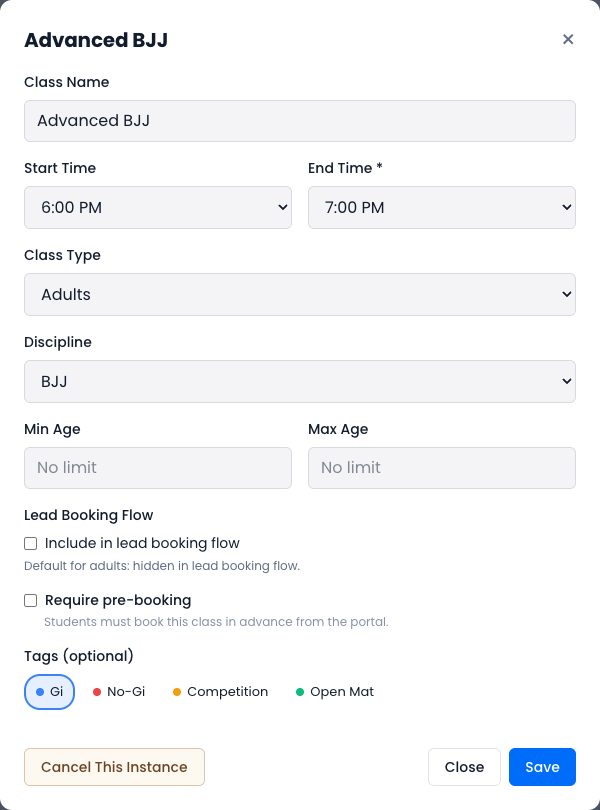
Set it to the discipline the class actually teaches. Non-BJJ classes are labelled with their discipline on the schedule so they're easy to spot. BJJ classes carry no label.
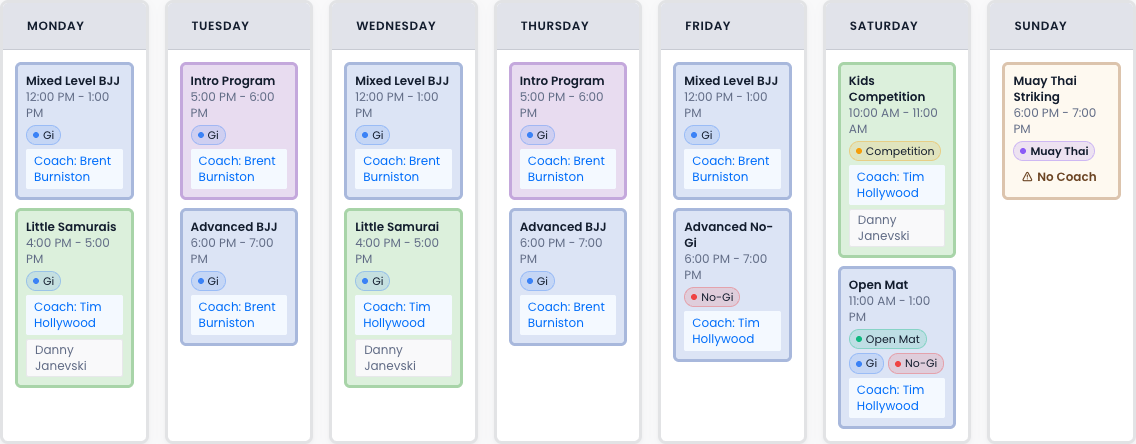
See the Schedule reference for the rest of the class editor.
How Non-BJJ Members Are Tracked
Once a student trains a non-BJJ discipline, GRADR adjusts what it shows for them.
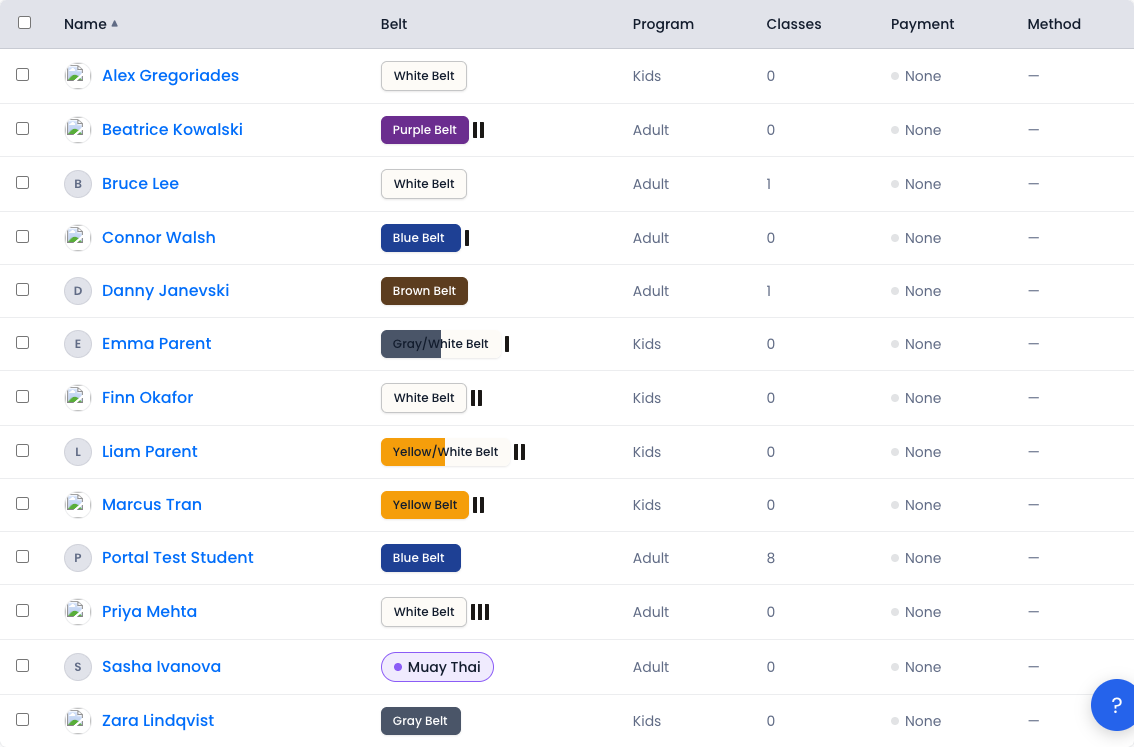
- Discipline pill instead of a belt. Anywhere a belt would normally appear (the students list, the kiosk, their profile), a non-BJJ member shows their discipline's coloured pill.
- No grading. Non-BJJ members never appear in a grading session, on belt-requirement tracking, or in promotion history. Their student portal drops the grading/progress section entirely and keeps attendance, bookings, and profile.
- Attendance and reports work as normal. Non-BJJ members are checked in, booked, and counted in your reports exactly like BJJ students.
When a member books through the student portal, and when the kiosk builds a class roster, GRADR matches on the class's discipline: a Muay Thai member is only offered Muay Thai classes, and a BJJ member only BJJ classes. Owner-side actions aren't restricted. You can still manually check anyone into any class, and the kiosk's override check-in is always available.
Related
- Students — the full student profile and roster.
- Schedule — building classes, including the discipline picker.
- Adding a non-BJJ student — a step-by-step walkthrough.